
The Pos-terminal SkyService has the ability to create a delivery receipt. If the client has a type of activity related to delivery, and it is necessary for the employee of the delivery department to issue a check, which will indicate the following data: phone number, address, full name, date and time of delivery.
How to create a delivery receipt?
- In the Pos-terminal in the checkout panel, under the Total amount, click on the button –


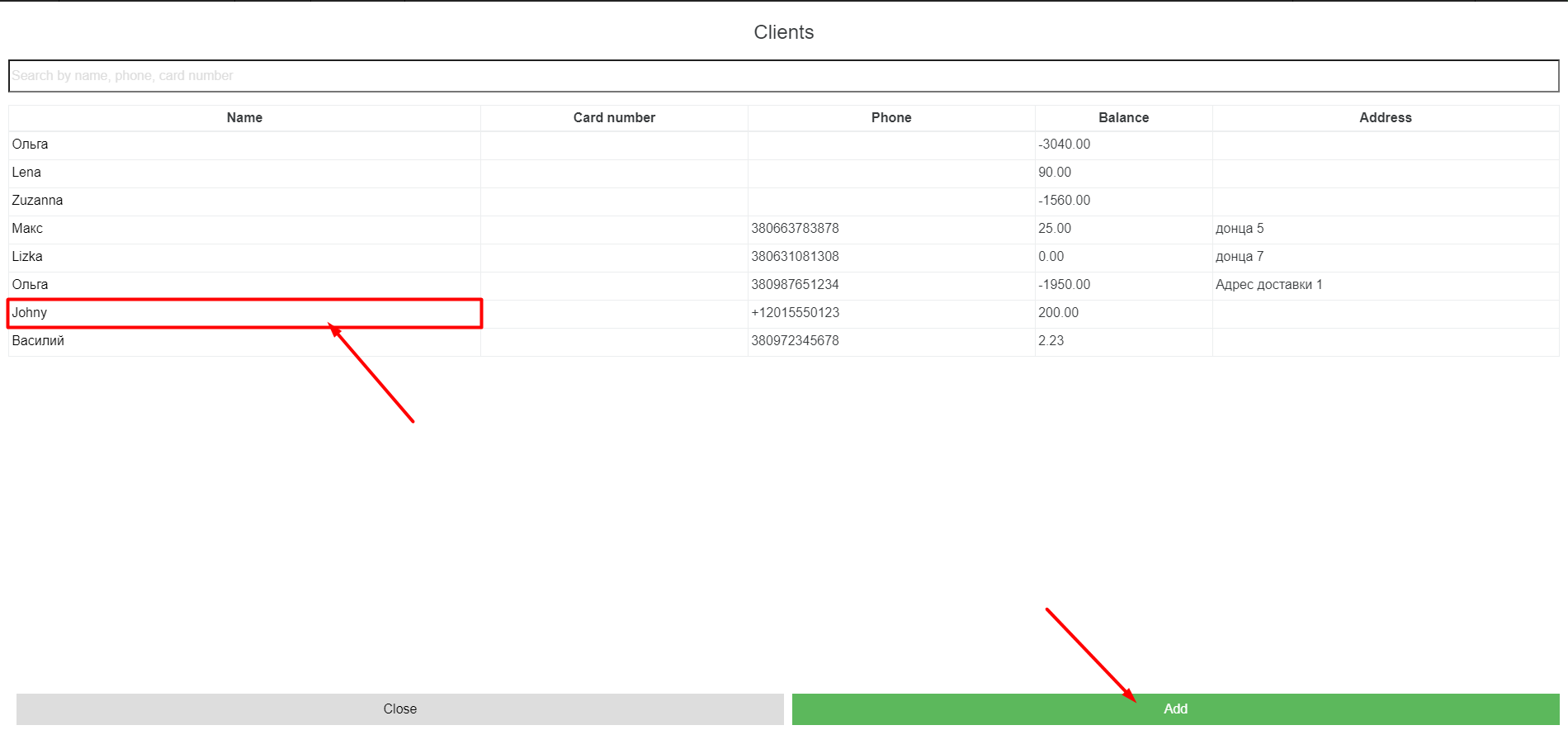
- In the Clients window, select the client you need
- Click “Add”.
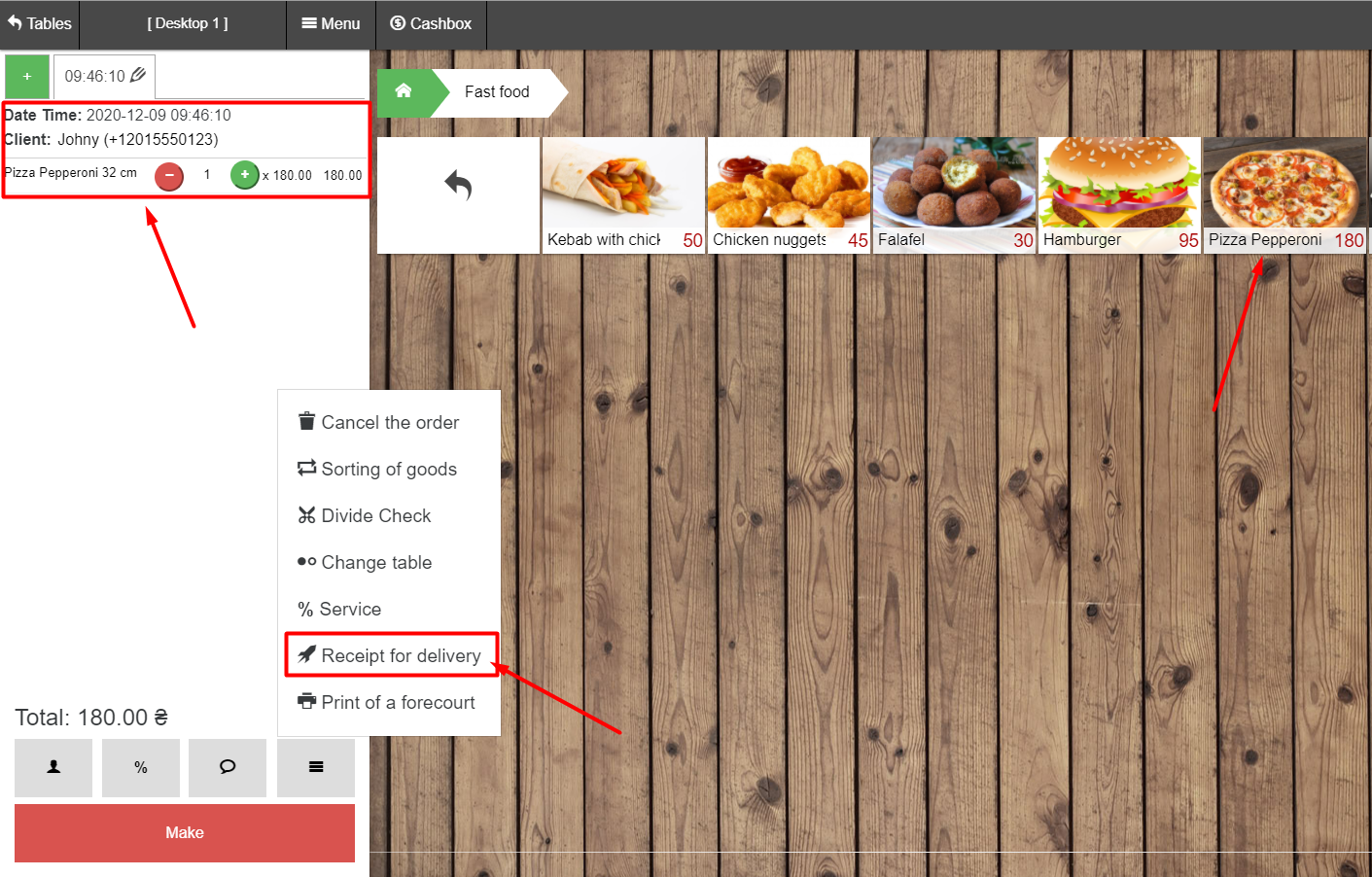
- We form an order, for example “Pizza Pepperoni 32 cm”
- Click at the bottom of the Pos-terminal under the Total amount on the button –

- In the Client Information window, specify the following data:
- Address;
- Commentary on the order (indicate the delivery address, date, time and all the necessary information)
- Click Save
