
Use product packaging to add deliveries to your warehouse faster. For example, you have received a box of wine from 6 bottles of 0.75 l each. Indicate the packaging capacity, and SkyService POS will calculate the amount of wine in a liter.
How to create a package
- In the Admin panel, go to the Home section, select the desired outlet (if you have several of them), and click Arrival of goods

- Fill all necessary fields;
- Choose a product;
- Click “Add tare/container”
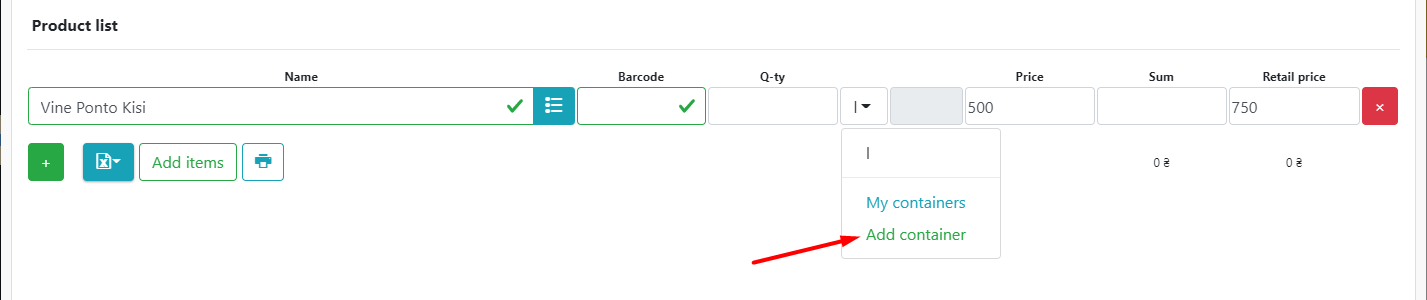
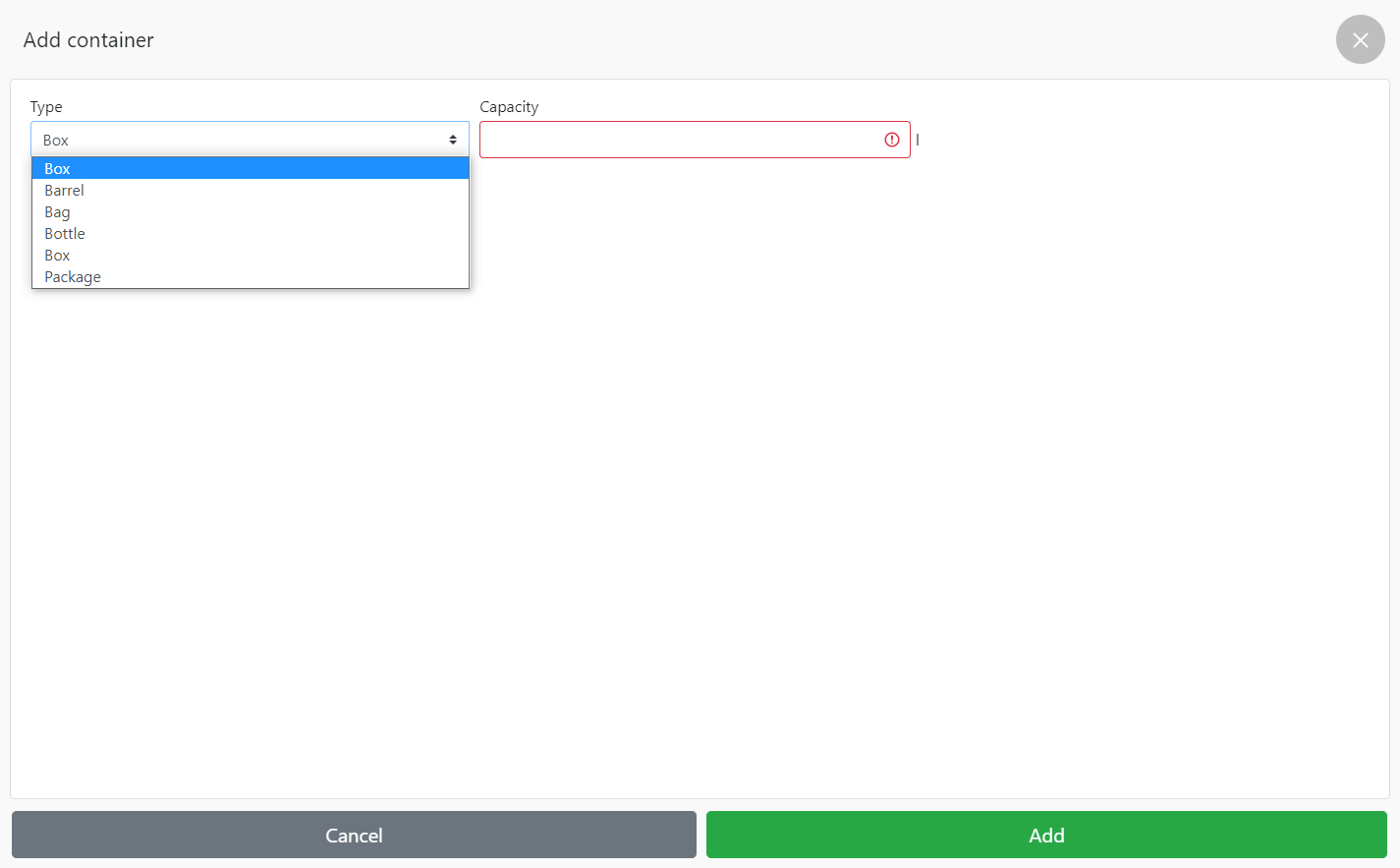
- Select the Type of container:
- Box;;
- Barrel;;
- Bag;
- Bottle;
- Box;
- Roll;
- Package;
- Kipa.
- Enter Capacity
- Click Add
- Specify the number of items, for example, how many bottles of wine were in the box, and SkyService will automatically calculate in l, ml, kg, g.
- After the packing will be saved, and it will be possible to select it only for the goods with the same unit of measurement

- Click Perform