
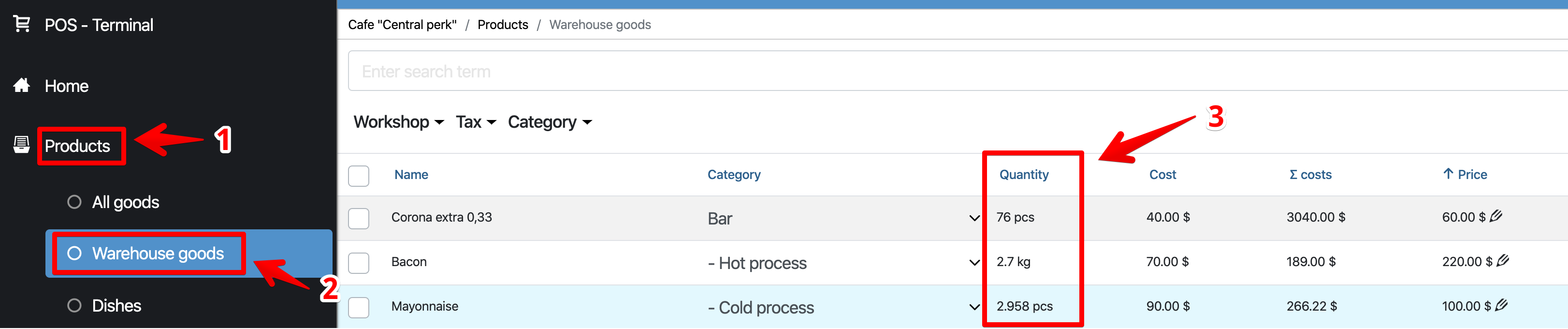
In the Admin panel, go to the section Products – Warehouse goods
The Quantity column displays the remaining goods.
- 1
How to see the amount of goods in stock
- In the Admin Panel, go to Statistics – General
- In the “Statistics” block, click on the inscription “In stock”, you will see:
- Purchase price – the sum at the cost of all goods;
- Retail price – the sum of all items at the selling price.
