Collection – withdrawal of money from the cash desk, at the close of the shift
If you always withdraw the entire amount from the cashier, turn on automatic collection.
If you need to withdraw part of the money, carry out the collection manually.
- I
How to enable automatic collection:
- In the Admin panel, go to the Settings – Sales Points section , select the desired point

- In the Request amount at the beginning of the shift click Yes
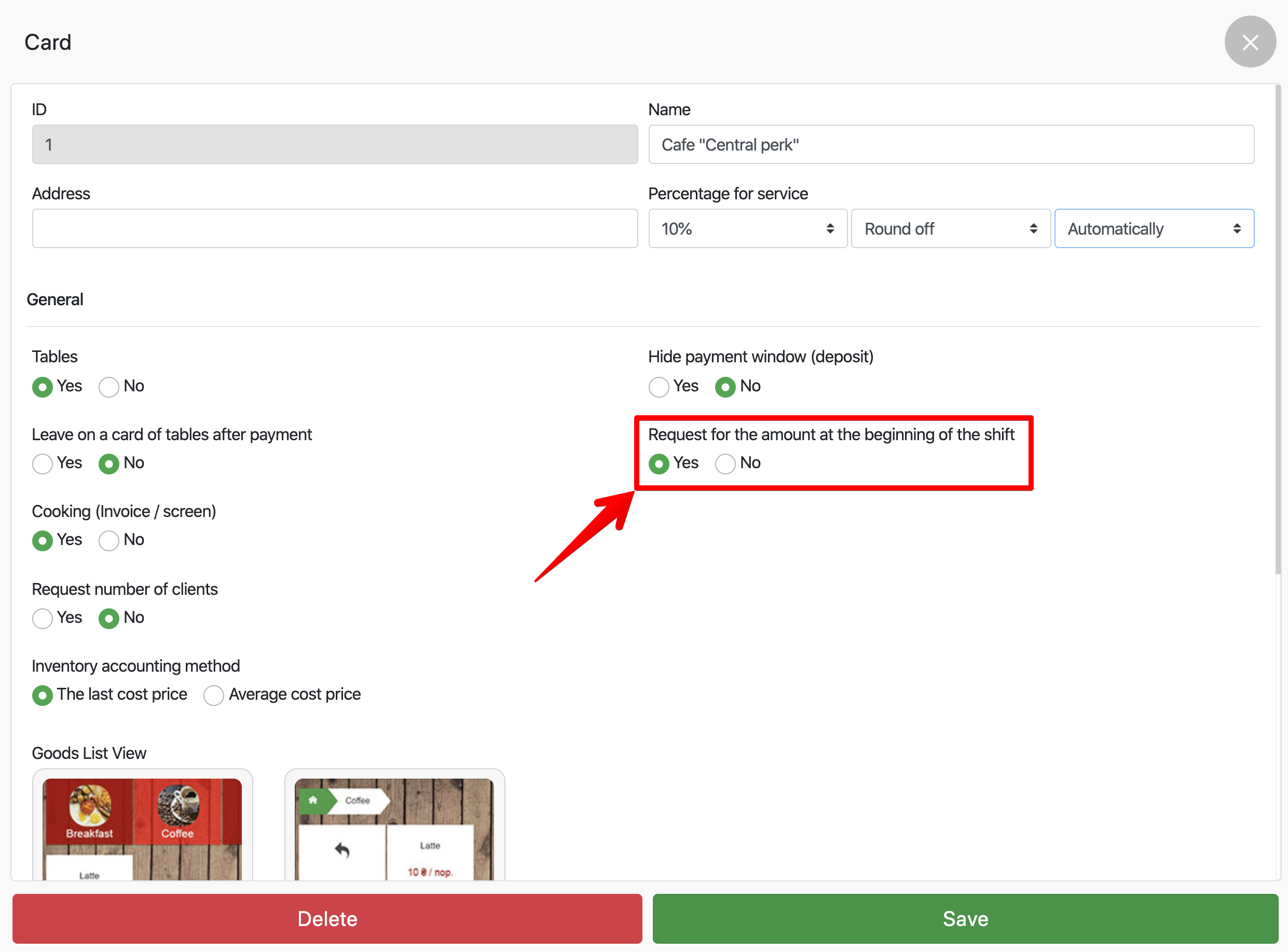
- Click Save
- II
How to collect manually:
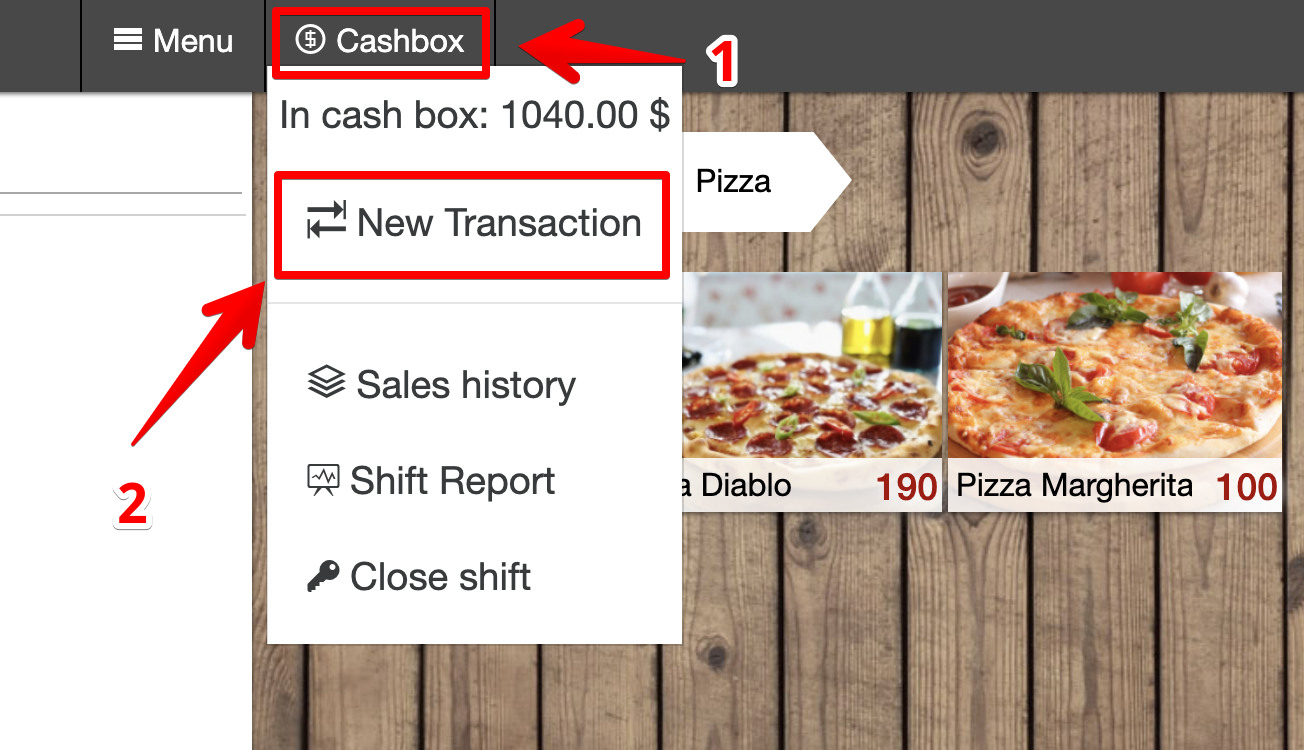
- Go to the Cashier and click on New Transaction (in the upper left corner of the screen):
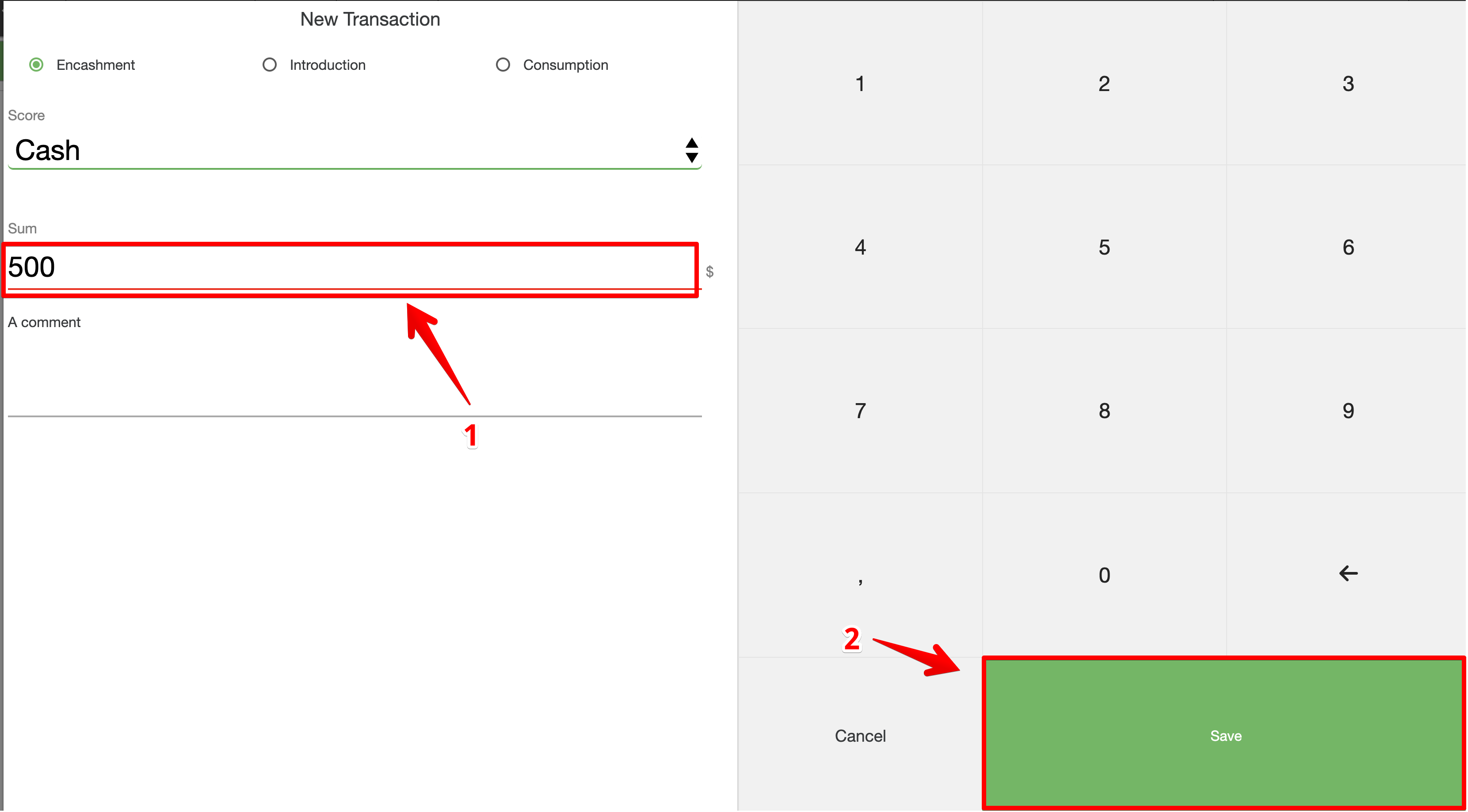
- In the New transaction window that opens, click:
- Collection
- Choose an account

- Enter the desired amount of cash and click Save