- I
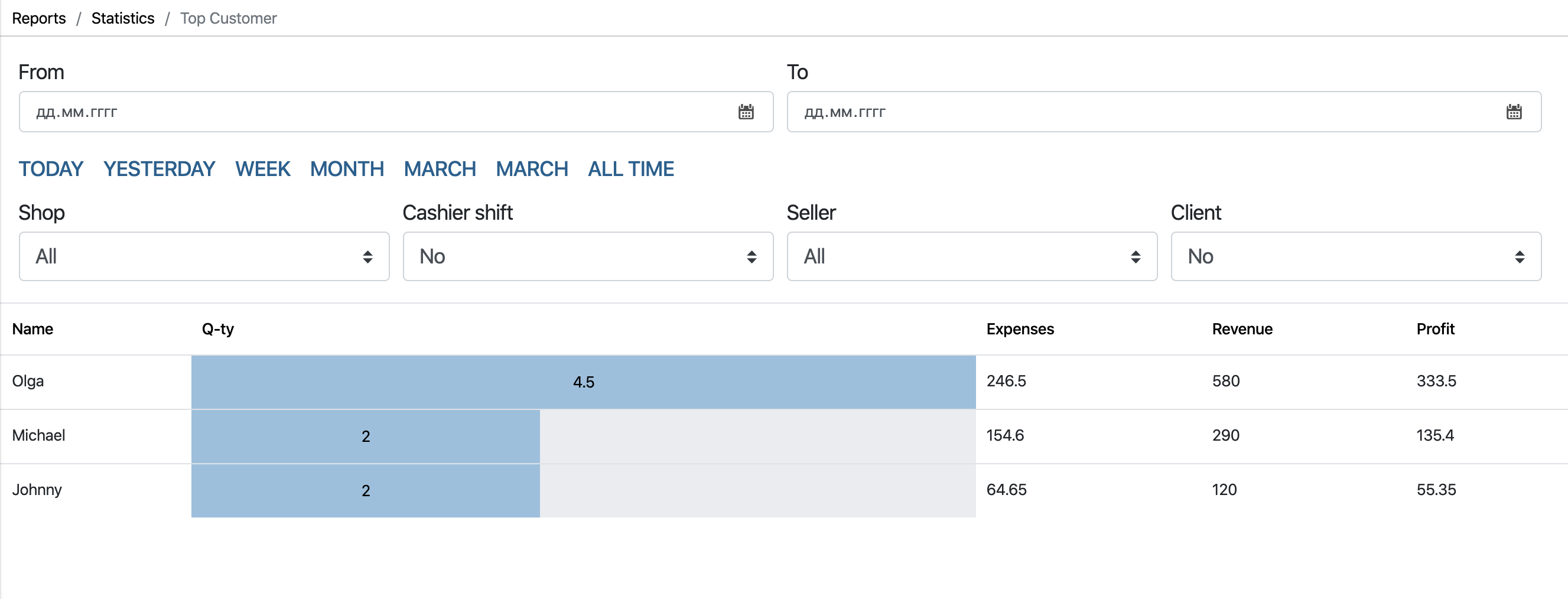
- In the Admin panel, go to the Statistics – Top Customer section

- In this section you can view:
- Number of items purchased by customer
- Also the cost of purchased goods / dishes
- The amount of revenue from all checks
- Net profit received from the client
- II
View all customer checks
- In the Top Sales section , click on the field with the desired customer
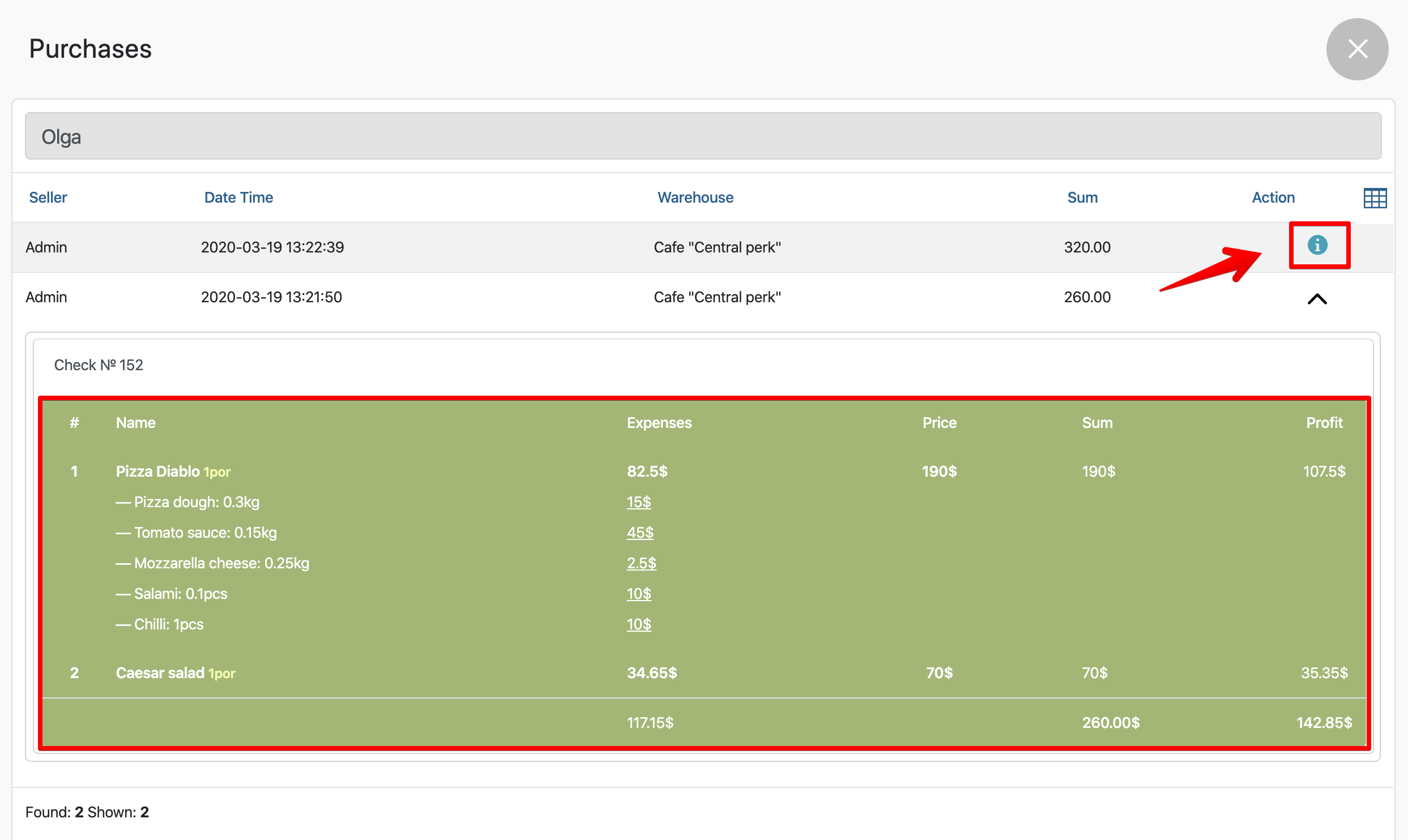
- In the appeared Shopping window you can see the contents of the check:
- By clicking on a customer’s purchase
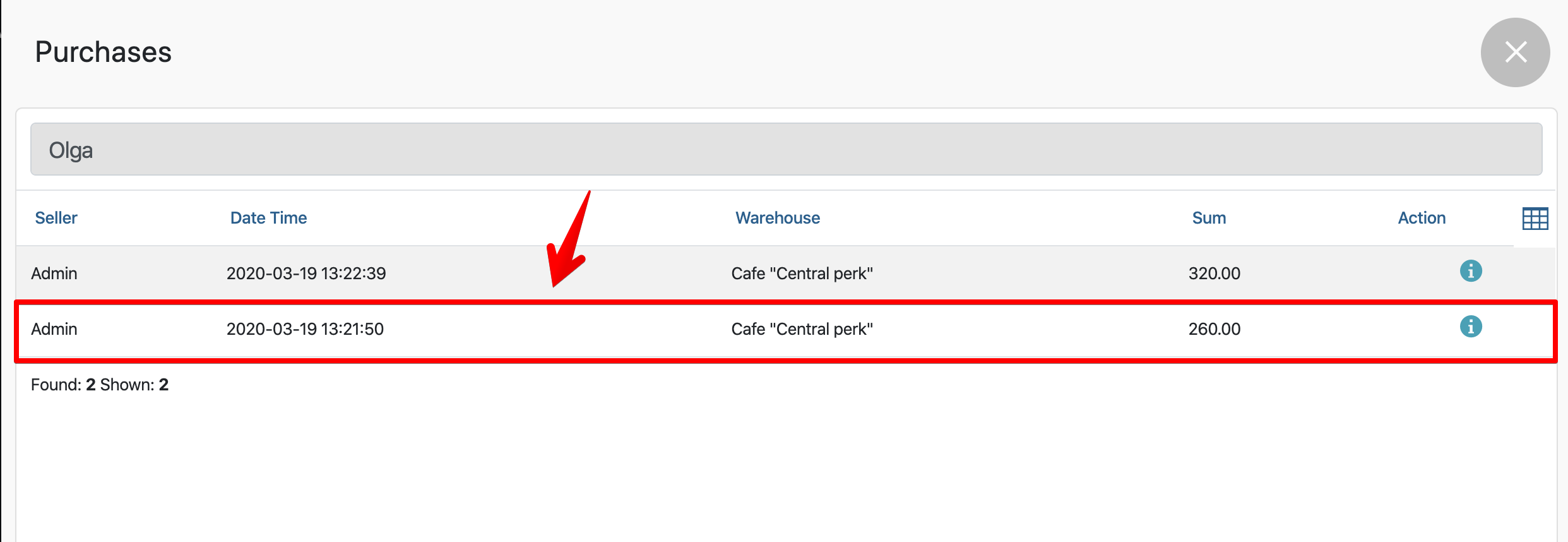

- Without clicking on the check, and click on the “i” button in the Action column