
Goods – finished products, sales are carried out according to the meter, for example foil.
- I
To add products by meter:
- In the Admin panel, go to the section Products → Warehouse goods
- Click on the Add button.

- Select Weight / Filling in Product Type

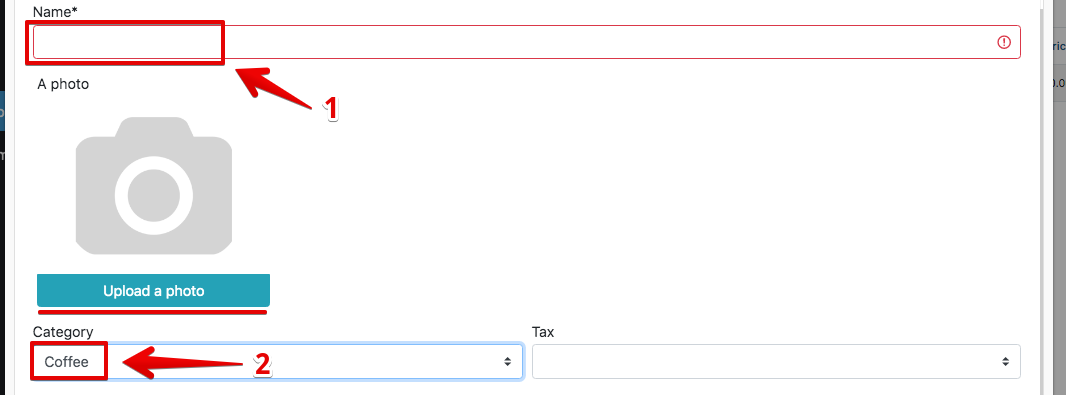
- Enter the name of the product, select the category and workshop
- If necessary, select the product icon – by clicking on ” Upload photo “
- Choose Unit (e.g. pcs, kg, g)
- The price is indicated for 1 m
- Enter Cost , and Markup , or Price
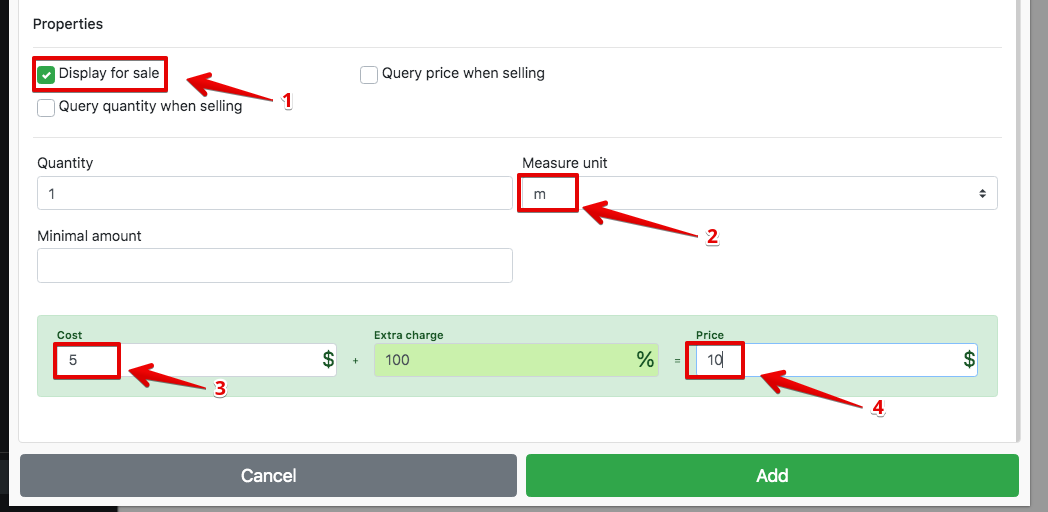
- Click Add
Enter the Minimum balance – purchase reminders (when the minimum balance is reached), the quantity of goods will be highlighted in yellow
