
A service is a labor product expressed in material form, for example, repair, consultation, software installation.
- I
To add goods (services):
- In the Admin panel, go to the section Products → Services
- Click on the Add button.

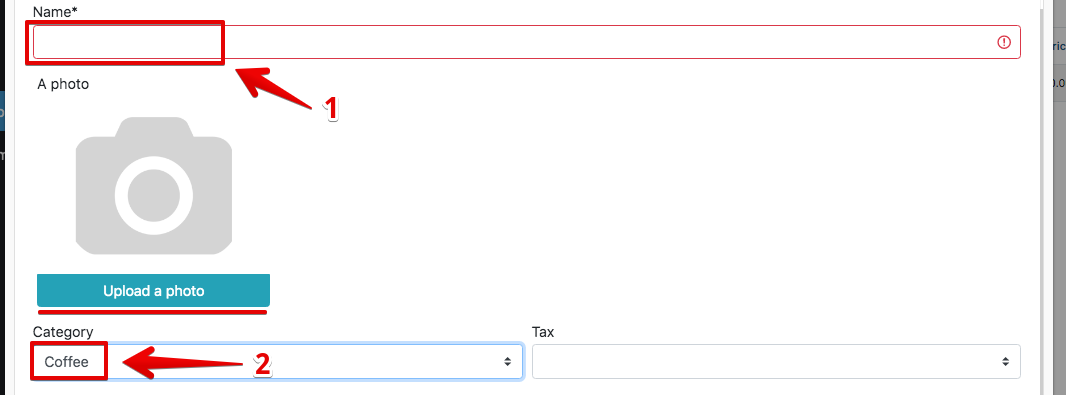
- Enter the name of the product, select the category and workshop
- If necessary, select the product icon – by clicking on ” Upload photo “
- Choose Unit (e.g. pcs, kg, g)
- The price is indicated depending on the Unit , if KG – indicate the price for 1 kg , if the unit in grams – then the price is indicated for 1 g
- Enter Cost , and Markup , or Price
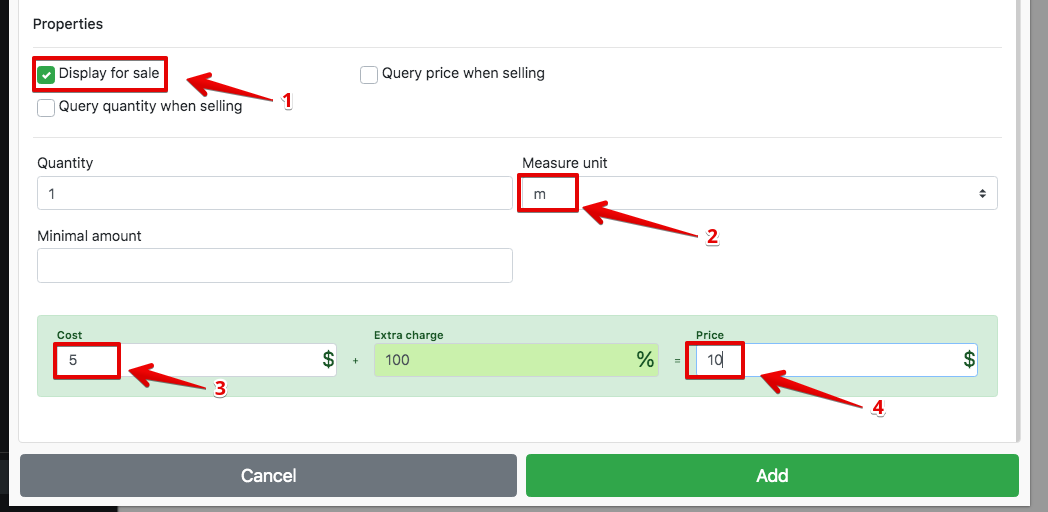
- Click Add